Board
Build your world on one canvas.
The Board is where a project starts: a moodboard, your characters, your locations and the beats of your story. It is also the memory of the whole project. Everything after it, from the screenplay to the pitch deck, reads from here.
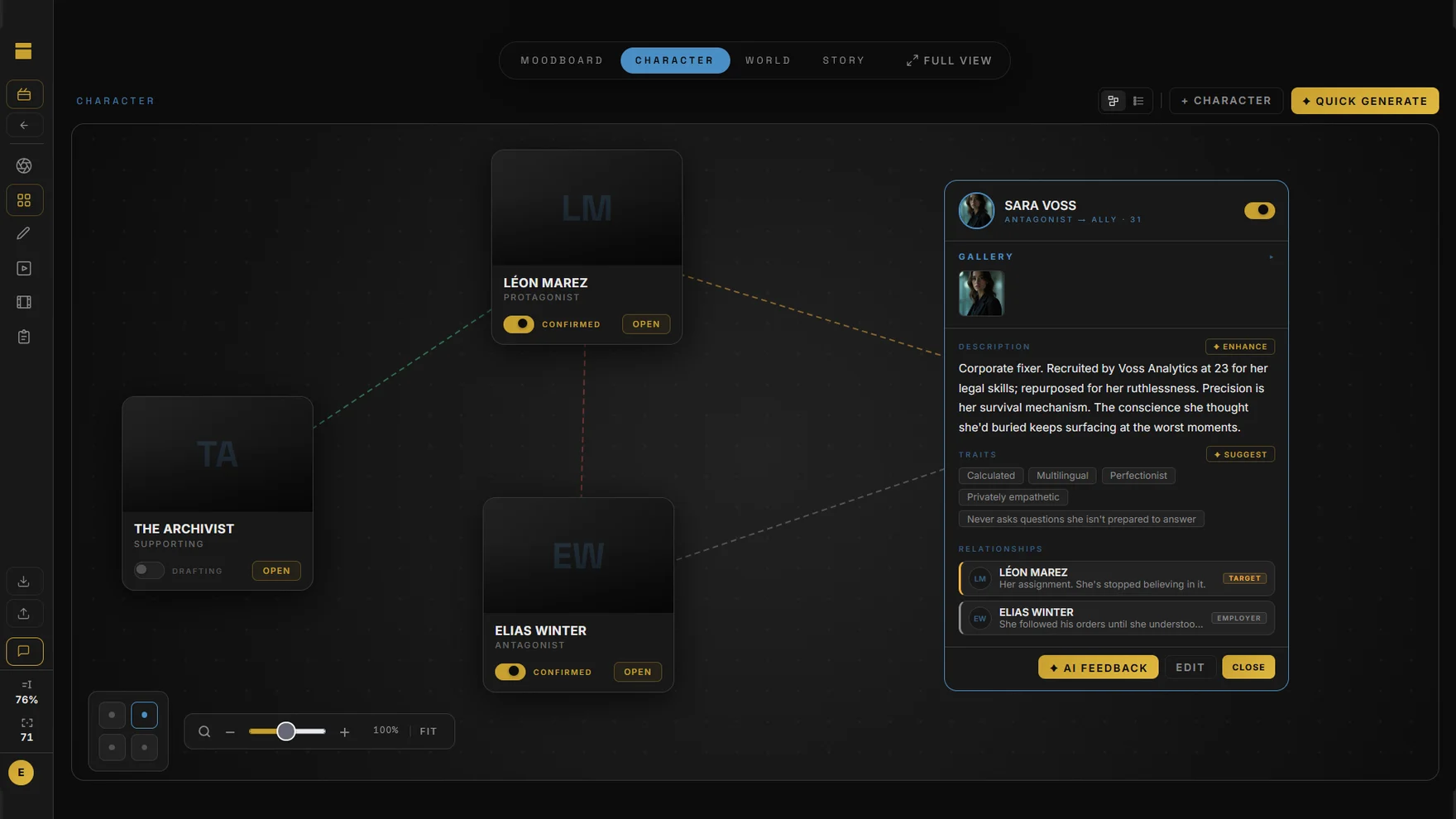
Four boards, one project
- Moodboard: drop in reference images and notes. Images keep their shape when you resize them.
- Characters: name, role, age, traits, relationships and a photo gallery for each one.
- World: locations marked interior, exterior or set, with a cover photo, gallery and who appears there.
- Story: beats grouped into acts, linked to characters and places, with lines showing how they connect.
See it your way
Lay cards out freely on the canvas, switch to a masonry grid for the moodboard or a list for characters and locations, or open Full View to see all four boards side by side.
Name it once
Characters and locations you add on the Board fill in as you type in the screenplay editor, tag themselves in the script breakdown and keep the same face in storyboard close-ups. No copying names between apps.
Questions
What can I put on the Board?
Reference images and notes on the moodboard, character cards, locations and story beats. Each has its own tab, and Full View shows all four at once.
Can DEUX create character images?
Yes. Generate a portrait from a character's description, or upload your own photos. Generated images use your visual credits.
Does the AI make up my characters?
No. Quick Generate turns what you write into a character or location card and may ask up to three questions. It is built to rephrase what you wrote, not to add facts you didn't give it, and nothing is saved until you press Save.